indiabellGet the app
Smart doorbell, no wiring

Your doorbell, on your phone.

Put an Indiabell QR code on your door, car or shop. Visitors scan it and your phone rings, with live video. They need no app, and your number stays private.

Start with a free trial. iPhone app coming soon.
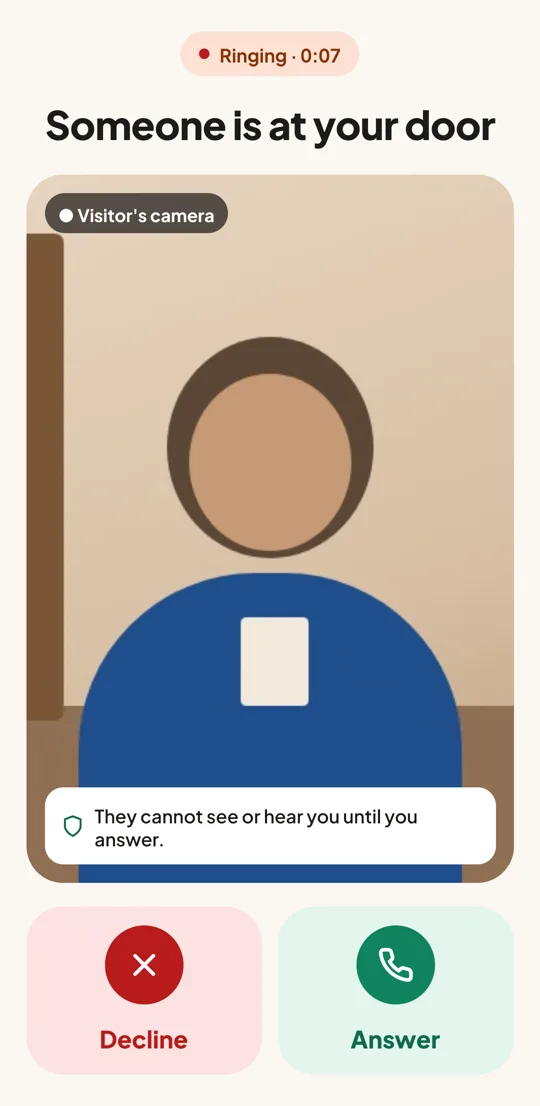
Indiabell incoming call screen: someone is at your door, with live video of the visitor

Three steps. No wiring.

Your QR plate works like a doorbell button that rings straight to your phone, wherever you are.

1

Stick the QR on your door

Get your Indiabell QR plate and put it at your gate, door, car window or shop counter.

2

Visitor scans and rings

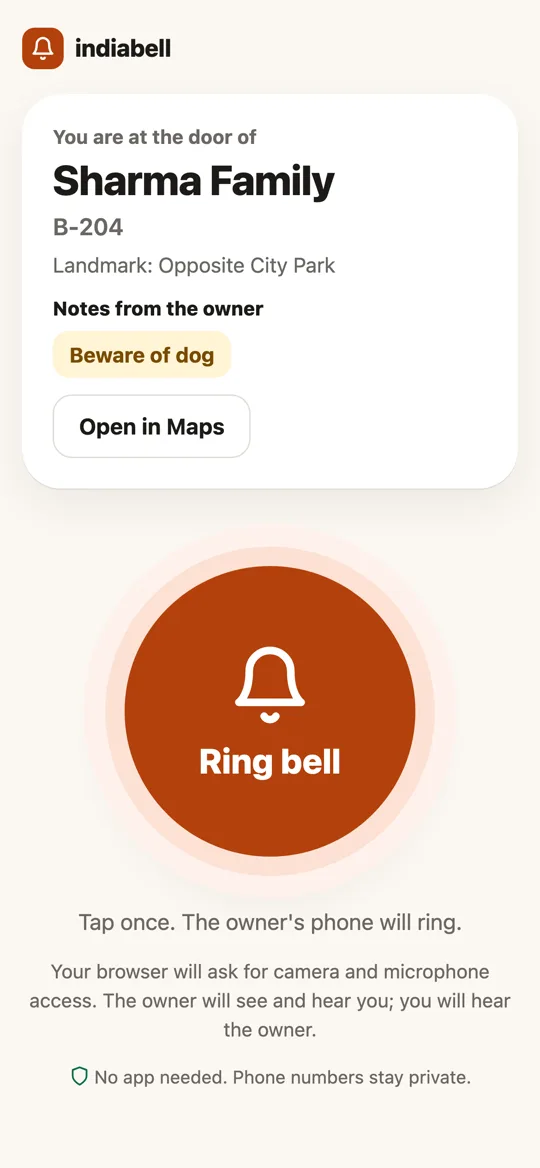
Any phone camera opens your page. One tap on Ring bell. No app, no sign-up.

3

Your phone rings

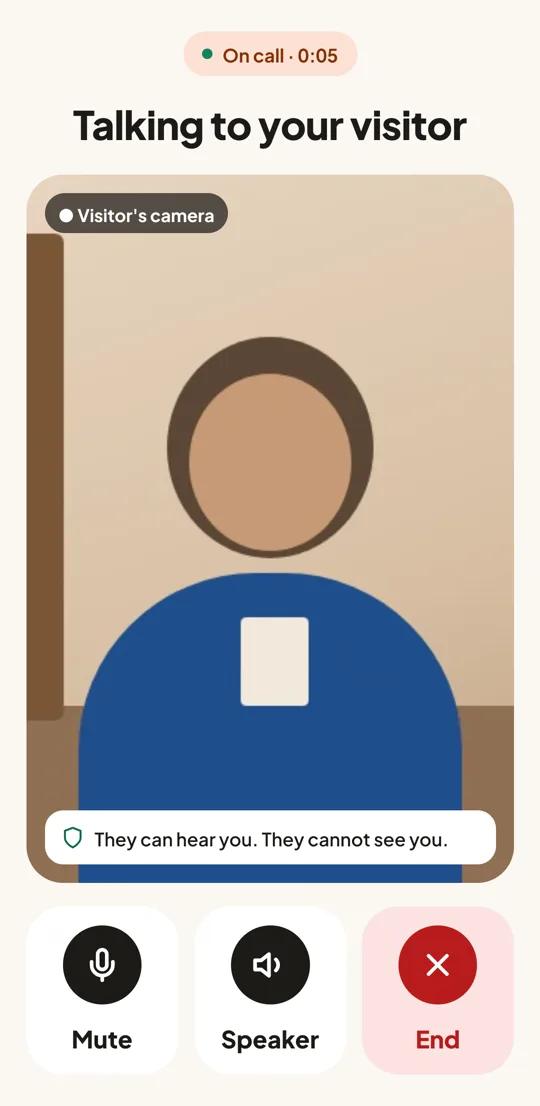
See who it is on live video, then answer and talk. They hear you, but never see you.

Made for every kind of door

One app for your home, your vehicle and your business.

Home

Visitors see your name, flat number and notes like “Beware of dog” or “Please use the side gate”.

Vehicle

Blocking a gate or lights left on? People can reach you about your car without seeing your number.

Shop

Customers see your business page and catalogue, and can call you from the counter.

The page a visitor sees after scanning: owner name, notes and a big Ring bell button
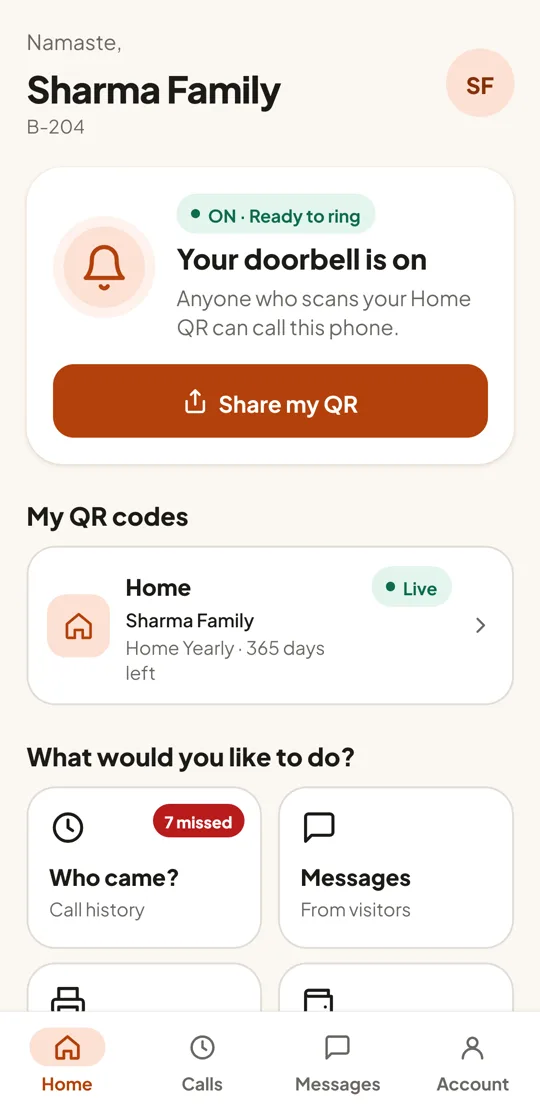
Indiabell home screen: your doorbell is on
Talking to a visitor: mute, speaker and end buttons
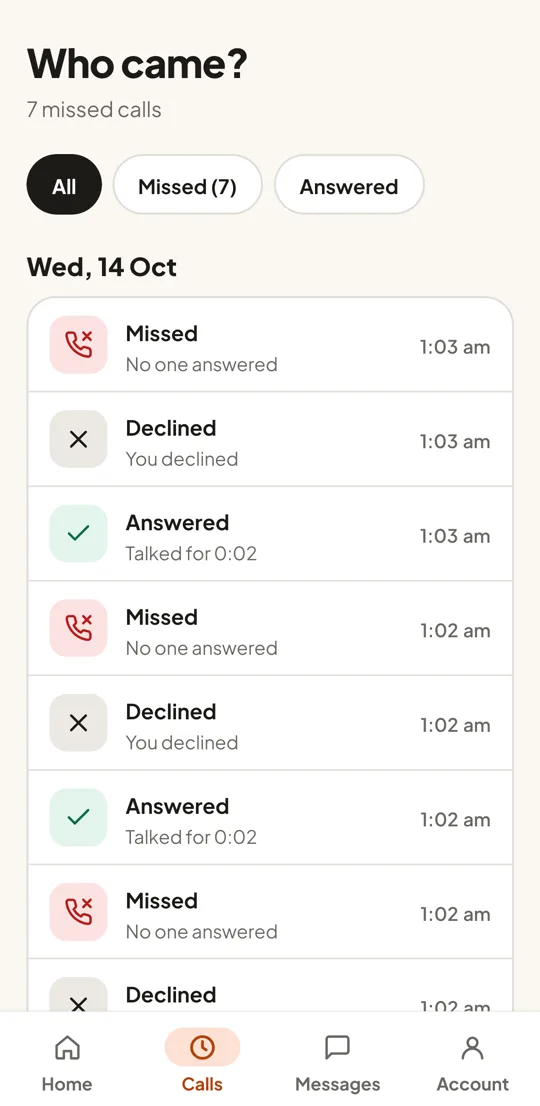
Who came: every visitor, missed or answered

Simple for everyone at home

Big buttons and plain words, so every age can use it.

  • Rings even when the app is closedLike a phone call, on the lock screen too.
  • See them before you answerLive video from the visitor's phone while it rings.
  • Missed it? Get a messageVisitors can leave a voice or video message.
  • Know who cameEvery visit, missed or answered, day by day.
  • Private by designYour phone number is never shown. Visitors only hear you after you answer.

Never miss someone at the door again

Start with a free trial. Choose a plan when you are ready.